The message timeline: who hears when
Up to five messages, each with its own recipients and timing. The first alert waits for your check-in window; sleep holds add patience for naps.
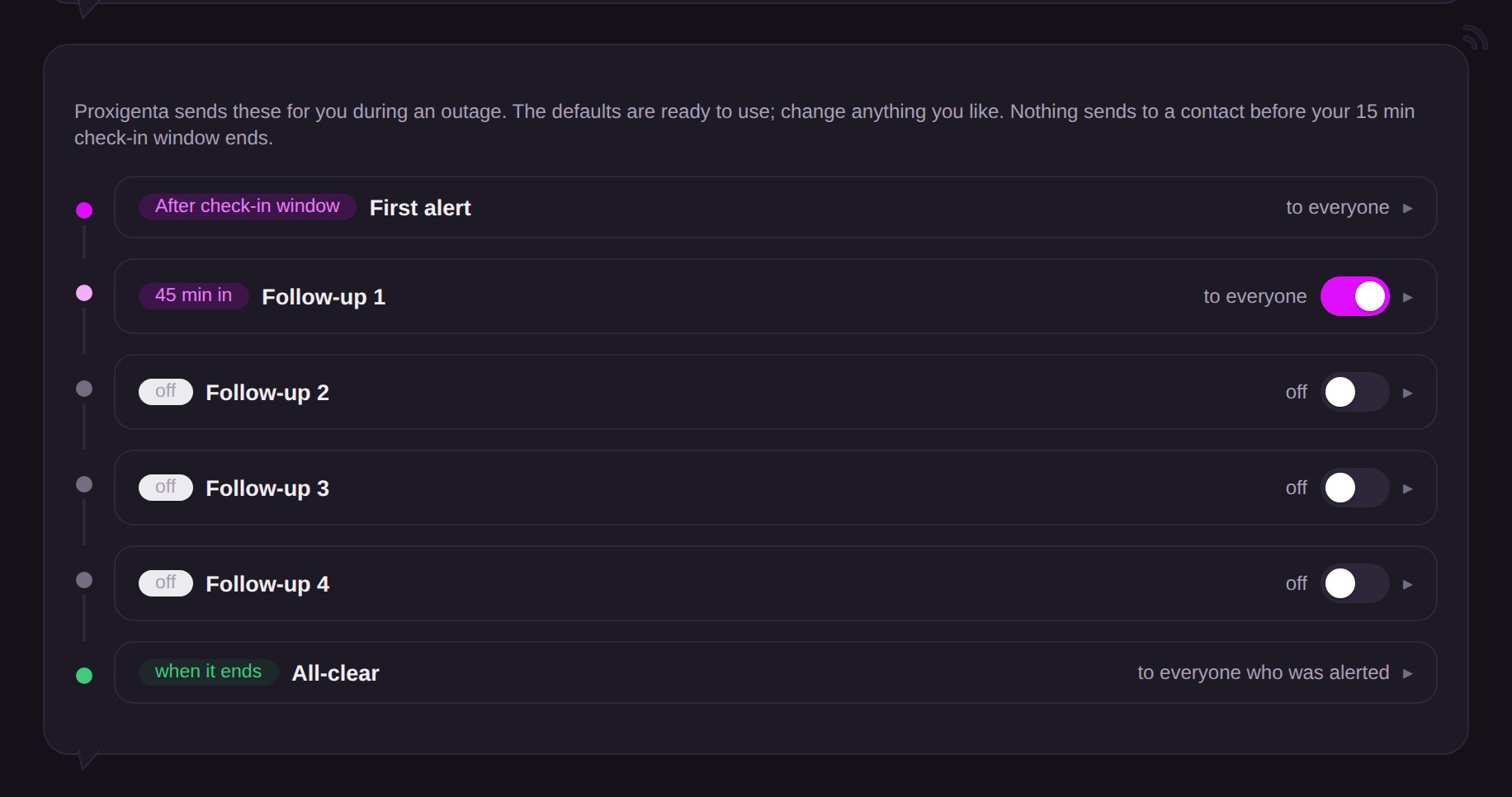
Alerts go out on a timeline, not all at once. Your Action Plan holds up to five contact-facing messages — a first alert and four follow-ups — each with its own recipients and its own timing:
- First alert: sends after your check-in window ends. Change the window in Action Plan and the first alert moves with it.
- Follow-ups: timed from the start of the outage, set in hours and minutes; later follow-ups keep a wider circle posted during a long outage.
- Sleep hold: extra delay added when your Mac’s sleep was not prevented at the time it went silent. Silence that might just be a sleeping laptop earns more patience.
- Check-in floor: no contact is ever alerted before your check-in window ends, whatever a message’s timing says.
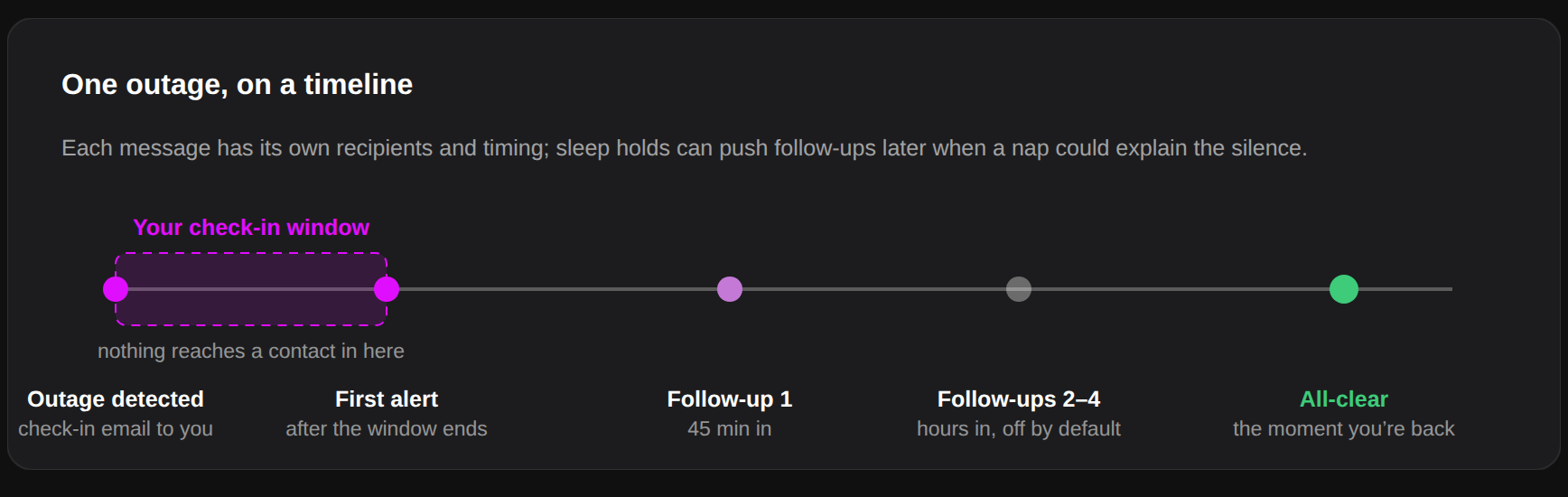
A typical setup: the first alert goes to an assistant; Follow-up 1 adds your manager or key client 45 minutes in; later follow-ups keep everyone posted. The first alert of an outage carries the acknowledge button; follow-ups are informational.
Manual Trigger (a quick action on Overview) skips the check-in window and every hold: you have asserted it is real.