Ghost mode: pause everything on purpose
One switch silences all detection and alerting: indefinitely, for N hours, or until a date; also reachable from the agent's menu.
Ghost mode is the master off switch. While it is on, going offline declares no outage, sends no check-in email, and alerts no one. Use it for vacations, flights, or any stretch where you simply do not want to be watched.
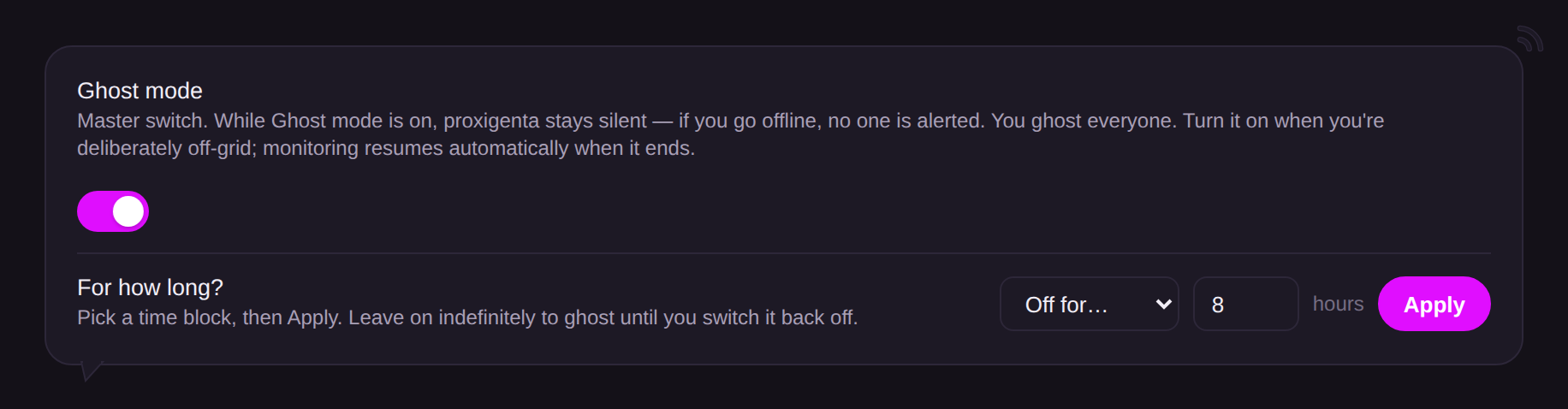
- Turn it on indefinitely, for a set number of hours, or until a specific date and time (up to 30 days).
- Timed ghost windows expire on their own; indefinite stays on until you turn it off.
- It is available as a quick action on Overview and from the agent’s menu bar icon, which turns into a small ghost so you can see at a glance that alerting is paused.
Ghost mode is honest about its tradeoff: while ghosted, a real emergency also goes unreported. For recurring quiet time, online hours (in Availability) is usually the better tool; for planned vacations and holidays, add ghost mode time blocks under Scheduled time away or switch on a holiday calendar, both in Availability; ghost mode itself is for right-now exceptions.